


There are two main ways you can sell digital products: either via your own online store, or on an online marketplace, like Etsy or Gumroad.
Now, both of these approaches have advantages and disadvantages.
When you build your own store, you get control over branding, pricing, user experience, and customer data. And you don’t have to worry about a platform taking a large cut of every sale.
But if you build a website, there’s something else you’ve got to build too — and that’s an audience.
That’s where the benefit of selling digital products on an online marketplace like Etsy or Gumroad becomes clear. Both platforms give you access to a large, existing customer base.
But the good news is that there’s nothing to stop you from selling digital products using both these approaches — and in fact, this is the best way to go about things. So, in what follows, I’m going to show you a setup that lets you build your own store AND reach lots of customers through Etsy and Gumroad.
First, let’s look at how to sell digital products on your own store.

How to sell digital products on your own online store
When it comes to building an online store, there are lots of ecommerce platforms to choose from. For the purposes of this demonstration though, I’m going to show you how to sell digital products on Shopify. This is because it’s easy for beginners to use — but feature-rich and scalable too.

The first step to building a Shopify store is to start a free trial of the platform. Now the best way to do this is by using the extended, three-month version of the Shopify trial — this gives you a lot of time to build your store, and saves you money too. I’ve put a link to this special trial in the video description.
Once you’ve signed up for a Shopify free trial, it’s time to pick a design for your store from Shopify’s theme store. If you’re in a rush, just start with Shopify’s free “Publisher” theme.
Next, you need to start adding your digital products to your Shopify store. To do this, you’ll need a digital downloads app.
The most straightforward option here is Shopify’s own Digital Downloads app. This is free, and lets you make your digital products available to customers very easily. I’ve put a link to this in the description.
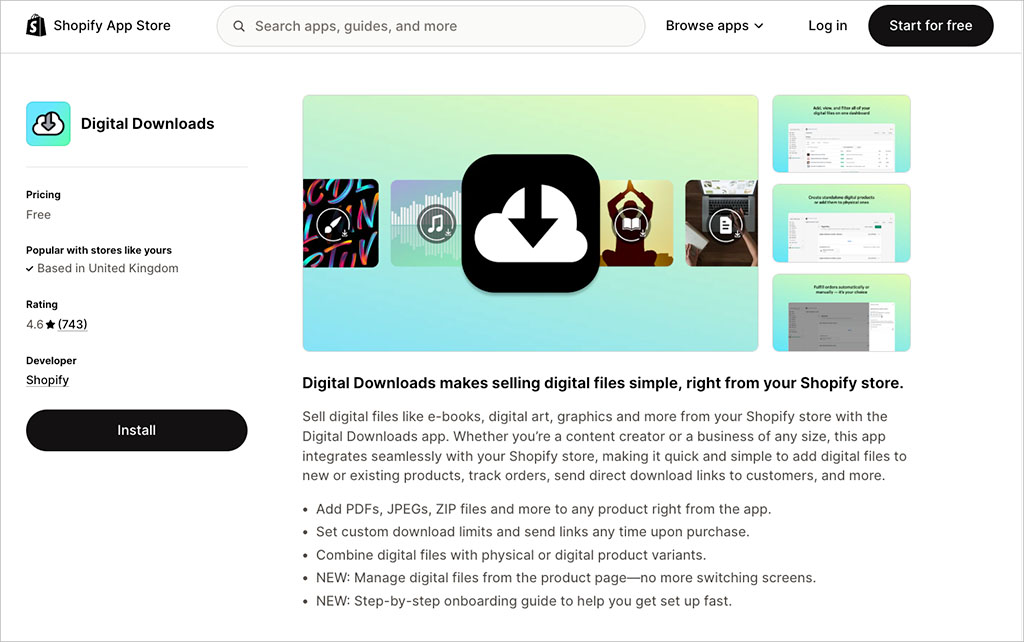
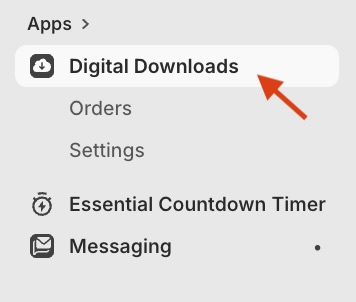
Once you’ve installed this app, click “Digital Downloads” in the apps section of your dashboard, and upload your digital product using the ‘Add Digital Product’ or ‘Add Assets’ option.
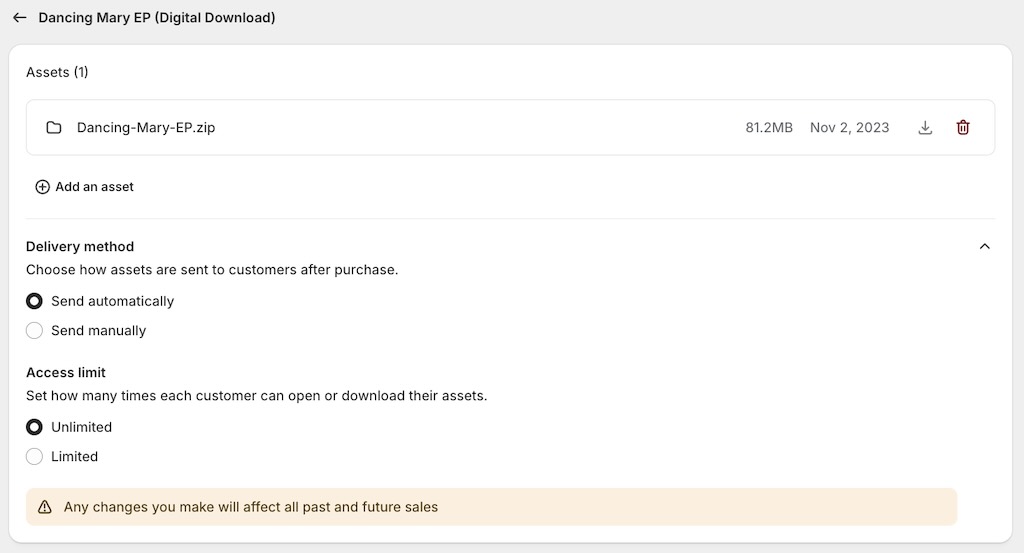
Once you’ve done this, you’ll see some fulfillment settings. These let you specify whether you’d like to deliver your file automatically or manually, and the maximum number of times that it can be downloaded. Set your preferences, then click “Save”.
You’ll now be able to add the relevant information about your digital product — title, description, pricing, etc. You can also choose whether to put your product on sale immediately — by setting its status to “active” — or to keep it in draft mode.
Once you set your product to “active”, your digital product will be available to buy.
Tip
By default, Shopify’s Digital Downloads app limits you to selling files no larger than 5GB in size. If you want to sell bigger files, you might need to consider using an app that faciliates this (for example, FileFlare or Filemonk). Alternatively, Shopify lets you host your files on file sharing services like Dropbox or Google Drive — when your customers buy a digital product, they get sent the relevant link to them.
Now there are quite a few other things you’ll need to do to get your store live — including creating certain page types, and connecting a domain. For a full walkthrough of these tasks, do check out our full guide to building an online store.

OK, let’s move on now to selling digital products on Etsy and Gumroad.
Selling digital products on Etsy and Gumroad
As I mentioned earlier, the advantage of selling on Etsy or Gumroad is simple: doing so makes your digital product available to huge, existing audiences. And when you use platforms like these, you don’t have to worry about web design tasks like domain registration, page creation, blogging, or technical SEO.
To sell on Etsy, you’ll need to create an account at etsy.com/sell. It’s then a case of naming your shop and customizing its appearance. You’ll then be able to upload your files to the platform, set pricing, and choose how you get paid.
It’s a similar process with Gumroad — you sign up at gumroad.com/signup to start listing your products.
There are a couple of things to bear in mind here: first, both platforms take a large cut of each sale — 6.5% in the case of Etsy, and 10% in the case of Gumroad. And both have policies on the kind of products you can sell — always read these carefully before uploading anything to either platform.
OK, so those are the two main ways you can sell digital products online. One gives you control, the other an audience.
But the good news is that you can have both, by connecting your Shopify store to Etsy or Gumroad. So, let’s take a look at how to do this.
Connecting Shopify to Etsy and Gumroad
First up, Etsy. Shopify connects very easily with it — you can use apps like CedCommerce to sync your products automatically and easily with it.
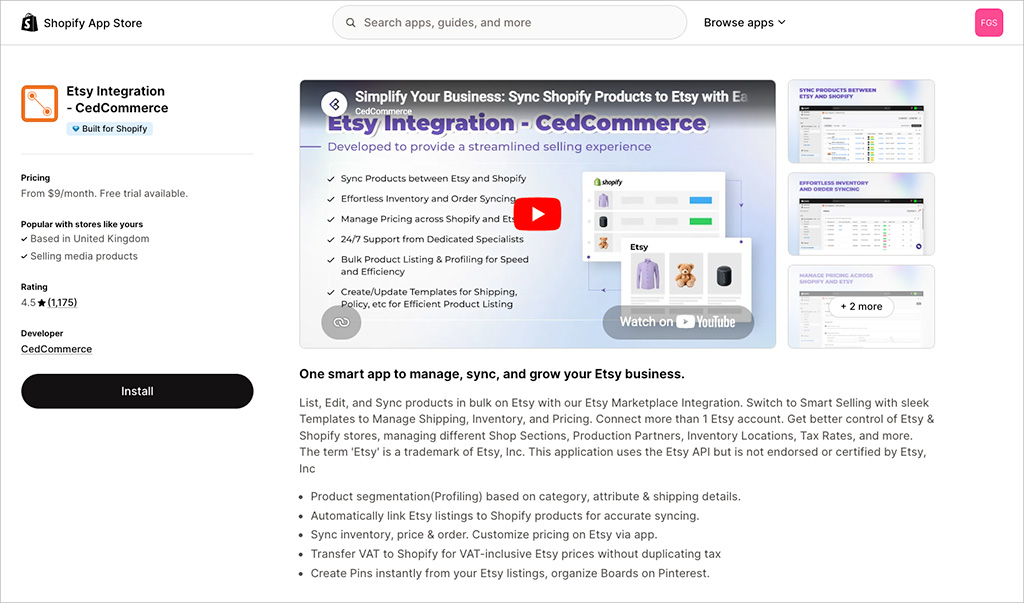
These tools let you manage your inventory, descriptions, and product list in Shopify, and then “push” that data to Etsy.
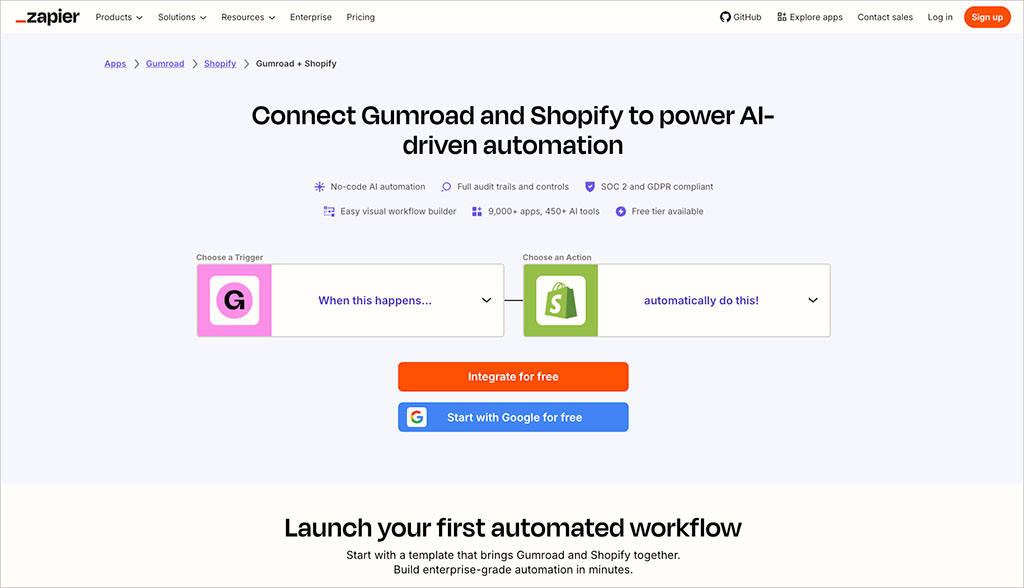
With Gumroad, the process is a bit more complicated, because there isn’t an official app in the Shopify app store to connect the platform to Shopify. Instead, you’ll need to use a third-party tool like Zapier or SyncSpider to make Shopify and Gumroad talk to each other. This setup can work well — but do allow some setup time for it.
Once you’ve got your digital products live on Shopify and other online marketplaces, it’s time to promote them.
A great place to start with promotion is SEO and content marketing — these can both be done very cheaply or even for free, while giving you surprisingly good visibility. You can learn more about how to do both using the guides below:
You can also use online ads to promote your digital products — popular platforms for doing this include Google Ads, TikTok and Facebook.
And that’s it! Now you know how to sell digital products online. I hope you’ve found this article helpful, but if you have any questions, just drop them in the comments.
FAQs about selling digital products online
What is the best way to sell digital products online?
The best way to sell digital products online is usually to use a combination of your own ecommerce store and online marketplaces.
Your own store gives you more control over branding, pricing, customer experience and customer data. Marketplaces like Etsy and Gumroad, meanwhile, give you access to existing audiences. By using both approaches, you can build a more flexible digital product business — one that isn’t entirely dependent on a single sales channel.
Can you sell digital products on Shopify?
Yes — Shopify lets you sell digital products, but you’ll usually need to add a digital downloads app to your store first.
The simplest option here is Shopify’s own free Digital Downloads app. This lets you upload digital files, attach them to products and decide whether customers receive them automatically after purchase.
Can I sell the same digital product on Shopify, Etsy and Gumroad?
Yes, you can sell the same digital product across Shopify, Etsy and Gumroad.
This can be a smart approach because it lets you reach customers in several different places. However, you’ll need to keep your product details, pricing and files consistent across platforms. You should also check the rules of each platform before uploading your products — restrictions apply to the kind of content you can sell on all three.
How do I connect Shopify to Etsy or Gumroad?
Shopify can be connected to Etsy using third-party apps such as CedCommerce, which let you sync product information between the two platforms.
Connecting Shopify to Gumroad is usually less straightforward, because there isn’t an official Shopify app for this. Instead, you’ll typically need to use an automation tool like Zapier or SyncSpider to pass product or order data between the two platforms. This can work well, but it may take some time to configure properly.

Chris Singleton is the Founder and Director of Ecommercetrix.
Since graduating from Trinity College Dublin in 1999, Chris has advised many businesses on how to grow their operations via a strong online presence, and now he shares his experience and expertise through his articles on the Ecommercetrix website.
Chris started his career as a data analyst for Irish marketing company Precision Marketing Information; since then he has worked on digital projects for a wide range of well-known organizations including Cancer Research UK, Hackney Council, Data Ireland, and Prescription PR. He then went on to found the popular business apps review site Style Factory, followed by Ecommercetrix.
He is also the author of a book on SEO for beginners, Super Simple SEO.