


In this Wix review, I’m going to give you the full picture on one of the web’s most popular selling platforms. I’ll look at the main reasons to use Wix, the key reasons to avoid it, and I’ll finish by highlighting some alternative website builders and ecommerce platforms that may suit you better.
My quick verdict on Wix
Wix is a solid all-round website builder that’s particularly well-suited to small businesses, creatives and entrepreneurs. Its large template library along with its built-in email marketing, multilingual tools and ecommerce features make it a very flexible all-in-one solution. Its free plan is useful, and its customer support is more comprehensive than that offered by many rivals.
That said, there are some notable downsides. Wix doesn’t let you switch designs once your site is live, many templates are not ‘responsive’ (automatically mobile-friendly), and its multi-currency selling features and automatic tax calculation allowances remain relatively limited.
Overall score: 3.5 / 5
A quick overview of Wix
Founded in Israel in 2006, Wix has become one of the best-known website building tools on the market. Over the years, it has attracted a huge user base — according to Builtwith.com, more than 8.92 million live websites are currently powered by the solution.
In terms of how it works, Wix is is a fully hosted, browser-based platform. That means you don’t need to install any software or pay for web hosting to use it. Everything happens in the cloud and all Wix’s features are accessible via your web browser.
Now let’s look at the reasons you might want to use the platform.
Advantages of using Wix
1. It gives you access to a free forever plan
Unlike most competing platforms, Wix gives you access to an entirely free plan.
Now, this free plan comes with limitations: it puts (fairly intrusive) Wix branding on your site, it doesn’t let you host your site on your own custom domain, and it doesn’t give you any ecommerce features.
But it’s still useful for creating a simple personal site or experimenting with the platform extensively before you commit to a paid plan.
2. It comes with a very large template library
Design flexibility is one of Wix’s big selling points. The platform comes with over 3,000 templates — these cater for a wide range of use cases, including business websites, photography portfolios, music sites and online stores.
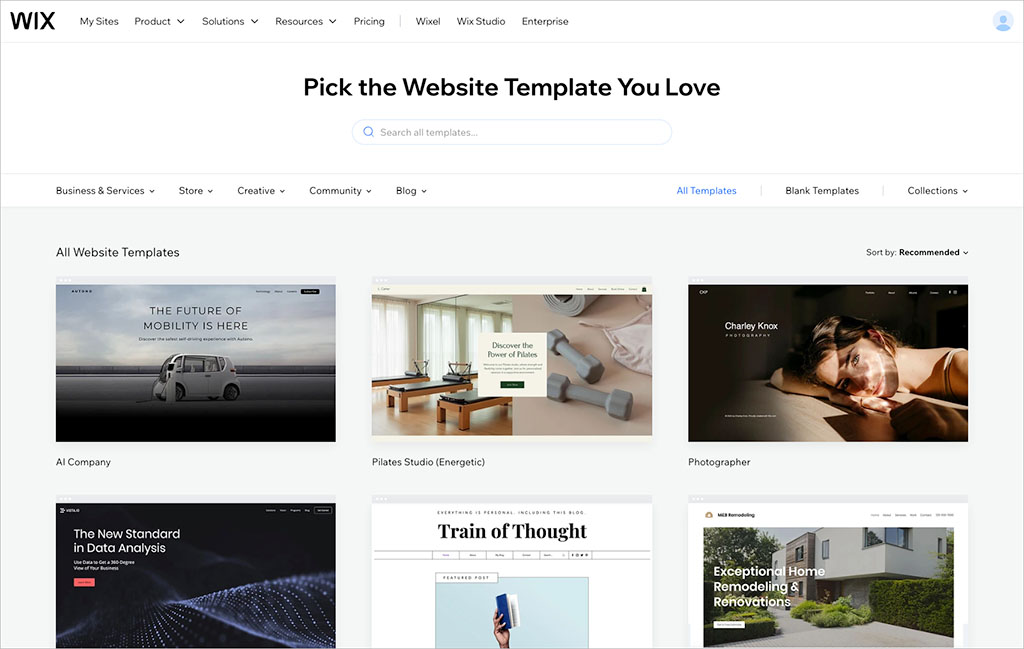
Wix’s template range is significantly larger than those of its rivals — for context, Squarespace offers around 200 free templates and Shopify around 24.
The range of designs on offer makes Wix a particularly attractive choice for users who want a quick, niche-specific starting point for their website.

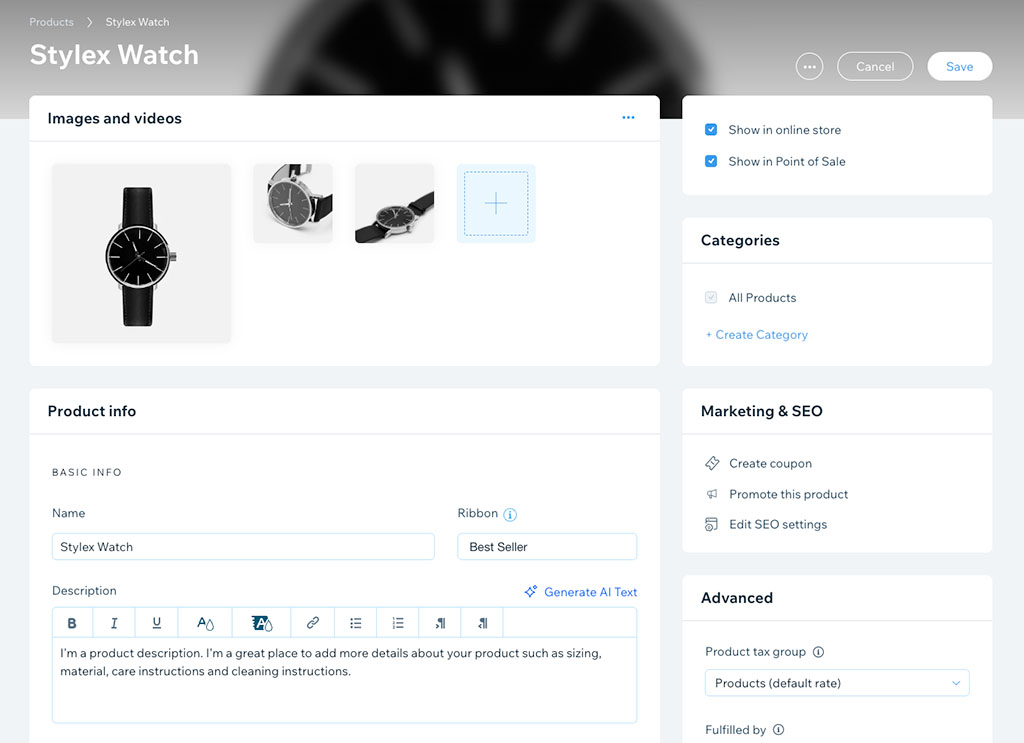
3. It gives you decent ecommerce functionality
Although Wix started out life as a simple website builder, its ecommerce features have expanded considerably over the years.
It now lets you:
- sell via a very wide range of payment gateways
- show product prices in multiple currencies
- use an abandoned cart recovery tool
- set up dropshipping with third-party providers
- calculate tax rates automatically
Now, it has to be said that Wix isn’t nearly as capable in the ecommerce department as dedicated ecommerce platforms like Shopify or BigCommerce — but for small businesses, creatives, or solopreneurs wanting to do a bit of simple selling, it’s more than adequate.
4. It comes with built-in email marketing tools
Wix comes with its own email marketing tool, Wix Email Marketing.
This is helpful, as quite a few competing website builders require you to connect a third-party tool like Mailchimp or Constant Contact in order to sell newsletter. With Wix, you can design and send newsletters without ever leaving the platform.
You can even use this feature for free, so long as you don’t exceed 200 emails per month (if you do, you’ll need to upgrade to a paid-for version of the tool).
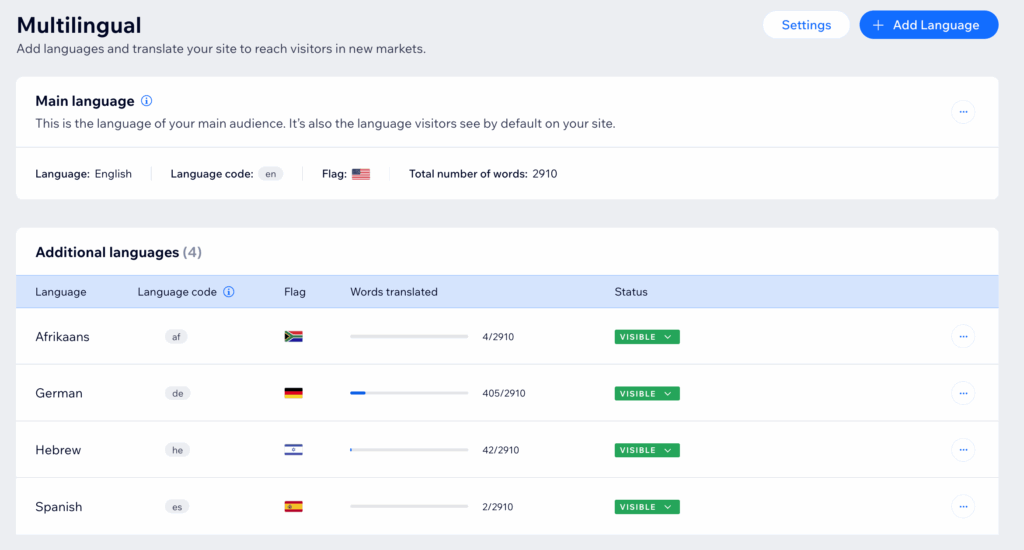
5. It’s good for creating multilingual websites
If you want to create a multilingual site, you can do this easily with Wix, via its free ‘Wix Multilingual’ app. This lets you translate your website into over 180 languages.
Some competing platforms charge extra to enable multilingual capability, or require you to install third-party apps.
6. It gives you access to comprehensive customer support
Wix offers one of the more comprehensive support packages in the website builder space.
Paid plan users get access to phone support in multiple languages — something that’s not available on platforms like Shopify or Squarespace.
(When trying to access this phone support, I did have to address my queries to an AI chatbot first, however…)
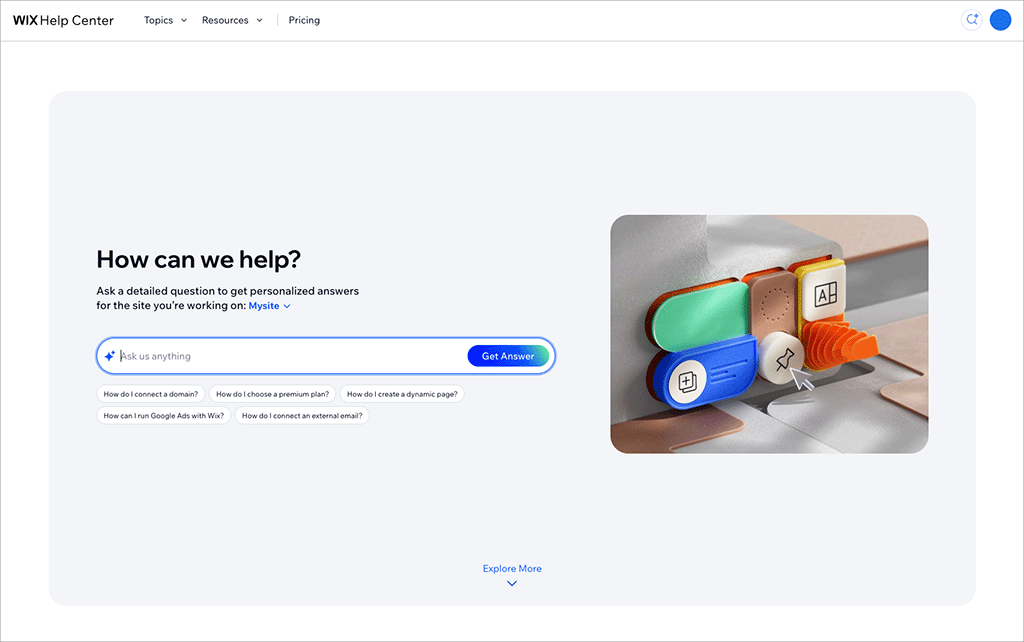
Wix also gives you access to live chat, email support and a large self-service knowledge base.
OK — so those are some of the good things about using Wix. Now let’s take a look at its key downsides.
Disadvantages of using Wix
1. The classic Wix Editor isn’t fully responsive
Responsive templates automatically adapt to different screen sizes (desktop, tablet, mobile and so on), and most modern website builders now rely on this approach.
Wix’s newer Harmony editor (used for sites created with Wix Aria) does generate fully responsive websites. However, sites built with the classic Wix Editor do not. If you choose a ‘classic’ template, you’ll need to manage separate desktop and mobile layouts.
This creates extra work.
2. Checkout is not fully multi-currency
Although Wix lets you display product prices in different currencies (see my screenshot below), its checkout process always happens in your store’s default currency.
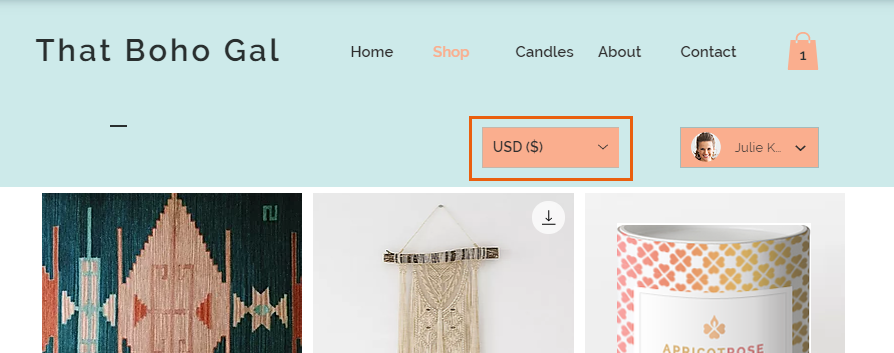
So, for example, if your store is USD-based, a customer in Canada might see your products listed in Canadian dollars — but when they go to pay for them, they’ll see checkout prices switch back to US dollars.
This can cause friction and lead to higher cart abandonment, and it’s why dedicated ecommerce tools (like Shopify and BigCommerce) typically facilitate a true multi-currency checkout experience.
3. You can’t switch templates
With Wix, once you’ve committed to a template, you can’t switch to a different one later.
You can change a template’s fonts, colours and layout settings, but if you want to redesign your site using a completely different Wix template, you’ll need to rebuild everything from scratch.
This is not the case with many competing website building and ecommerce solutions, many of which let you simply switch templates with a click of a button.

4. Content export options are limited
Wix doesn’t make it easy to move your content elsewhere. While you can export product data, blog posts and standard web pages can’t be exported easily.
This means that if you outgrow Wix and move to another platform, your migration is likely to involve a lot of copying and pasting…
5. Storage and bandwidth limits apply
Wix imposes storage limits on all plans, and bandwidth restrictions apply on the free plan.
For many small sites this won’t particularly matter, but if you plan to make use of large video or image files on your website, it’s something to keep in mind.
6. The automatic tax calculation limits are ungenerous
Wix places restrictions on the number of automatic tax calculations you can process per month.
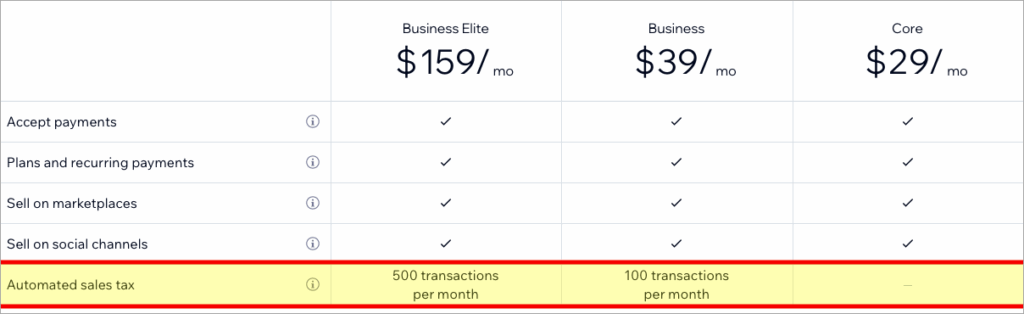
Even on its most expensive $159 per month ‘Business Elite’ plan, you’re capped at 500 tax calculations. For businesses selling at scale, this can be very limiting.
Wix pricing
Plan
Monthly pricing (USD)*
Free
$0
Light
$17
Core
$29
Business
$39
Business Elite
$159
* Annual commitment required
Wix user reviews
So far in this Wix review, you’ve heard my take on the platform. But what do actual users of the platform think about it? To find out, I collated data from several popular software review sites — see the table below to get a sense of this user reaction.
Review site
User rating (out of 5)
Capterra
4.4
G2
4.2
TrustPilot
3.5
TrustRadius
4.1
Average
4.05 out of 5
Wix review verdict
Overall, Wix is a strong general-purpose website builder. Its large template library, built-in email marketing, multilingual tools and solid ecommerce features make it particularly attractive to small businesses, creatives and entrepreneurs looking for an affordable, all-in-one solution.
Its free plan is genuinely useful for trying the platform without risk, and the newer Wix Aria and Harmony editing experience makes it particularly accessible for beginners. Customer support is also more comprehensive than that offered by many competing platforms.
There are some important drawbacks to consider, however. Many existing Wix templates still rely on the classic Wix Editor, which doesn’t create fully responsive websites and requires separate desktop and mobile layouts. The inability to switch templates, limited multi-currency selling features and relatively restrictive automatic tax calculation allowances also mean that Wix won’t be the best fit for everyone—particularly businesses planning large-scale or international ecommerce operations.
Pros and cons summary
☑️ Access to free plan
❌ Many of its templates aren’t fully responsive
☑️ Large range of templates
❌ Poor multi-currency features
☑️ Good ecommerce functionality
❌ No option to switch templates
☑️ Built-in email marketing
❌ Limited options for exporting content
☑️ Good multilingual capabilities
❌ Storage and bandwidth limits apply
☑️ Phone support is included
❌ Ungenerous tax calculation limits
Alternatives to Wix
If you feel that Wix’s limitations are too restrictive, there are some excellent alternatives available:
- Shopify — arguably the market leader in ecommerce, offering powerful multi-currency and tax features, plus a huge app ecosystem.
- Squarespace — an elegant general-purpose site builder with beautiful responsive templates and easy-to-use ecommerce tools.
- BigCommerce — a strong option for serious online selling, particularly internationally.

Chris Singleton is the Founder and Director of Ecommercetrix.
Since graduating from Trinity College Dublin in 1999, Chris has advised many businesses on how to grow their operations via a strong online presence, and now he shares his experience and expertise through his articles on the Ecommercetrix website.
Chris started his career as a data analyst for Irish marketing company Precision Marketing Information; since then he has worked on digital projects for a wide range of well-known organizations including Cancer Research UK, Hackney Council, Data Ireland, and Prescription PR. He then went on to found the popular business apps review site Style Factory, followed by Ecommercetrix.
He is also the author of a book on SEO for beginners, Super Simple SEO.