


In this short guide, I’m going to explain what Point of Sale systems are, how they work, and what you should look for when choosing one for your business.
A Point of Sale system — usually shortened to “POS system” — is a combination of software and hardware that lets you sell products in person. If you’ve ever bought something in a retail store, a café, or a market stall, you’ve almost certainly encountered one.
Traditionally POS systems were mainly used in physical retail locations. But modern businesses often sell products both online — via online stores — and in physical locations.
So these days, you’ll find that many POS systems now let you sell via an online store and in person. And with the right setup in place, your online store and your in-person sales system can work really well together — ensuring that when somebody buys a product in your physical store, your online inventory updates automatically. And vice versa.

That means you avoid overselling products, and you get a much clearer picture of what inventory you actually have available.
Now, there are two main parts to a POS system.
The first is the software. This is the system that:
- processes payments
- tracks inventory
- manages products
- handles customer data.
It usually comes in the form of an application that you access through a web browser. This can be an ecommerce platform like Shopify, which caters to merchants selling via an online store AND at point of sale, or a solution like Lightspeed, which is more focused on providing services to merchants that mainly sell in physical locations.
The second part is the hardware. This can include things like
- card readers
- barcode scanners
- receipt printers
- cash drawers
- touchscreen terminals.
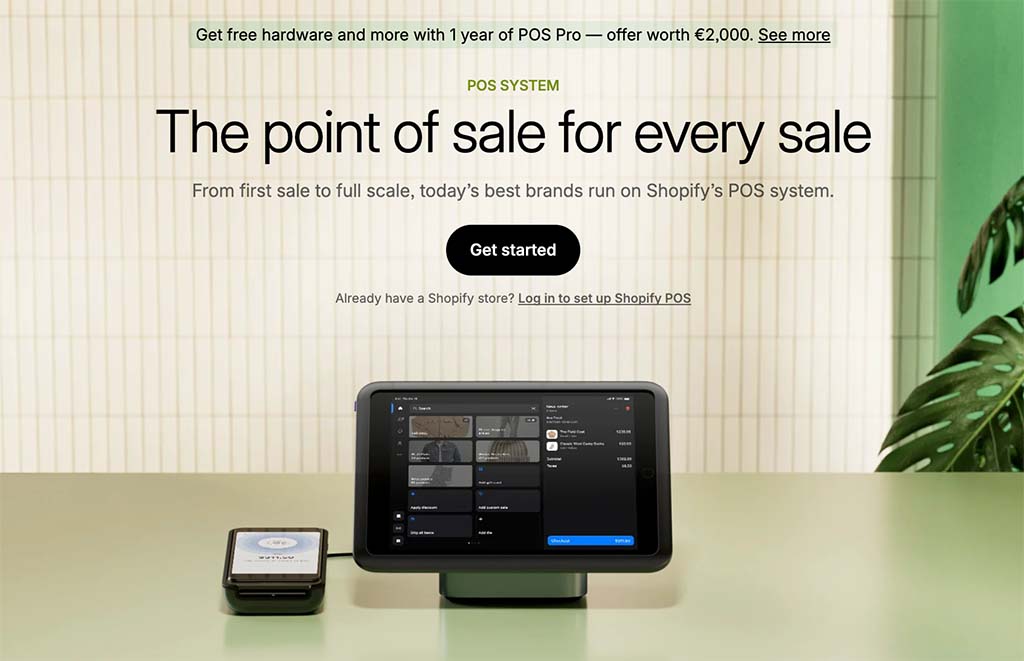
Some businesses need a full checkout setup, while others can get away with just a smartphone and a card reader.
How to choose the right POS system for your needs
So how do you choose the right POS system for your business? Well, there are a few key things to consider here.
Do you also need an online store?
If you’re planning to sell online *and* in physical locations, you’ll need a POS system that lets you do both. Shopify is probably the best choice for beginners, because it provides an easy-to-use store builder along with comprehensive in-person selling options. Other key options that allow you to create setups that let you sell using both an online store and POS hardware include WooCommerce and Wix (although getting POS to work with WooCommerce will involve connecting third party services, and Wix’s POS system is not as developed as Shopify’s).
Related resources
Payment methods
Most shoppers expect to be able to pay with their phone, so make sure your POS system supports mobile wallet payments. And depending on your location or customer base, you may need to support other payment options too — for example, American Express, cards issued overseas, gift cards or buy now, pay later services.
Regional taxes
If you sell internationally or across multiple tax jurisdictions, it’s important to ensure that your POS system automatically applies the right amount of tax on each purchase.
Industry suitability
Some POS platforms are designed specifically for use in restaurants, cafés, salons, or retail stores. Try to pick a POS system that’s designed for your specific use case. Square, for example, is popular in the catering industry, due to its dedicated features for table management and selling food and drink products; Lightspeed is often used in context where a large number of retail outlets are involved.
Transaction fees
High transaction fees can eat into your profit margins — so shop around for a system that keeps things affordable.
FAQs about POS systems
What is a POS system?
A POS system — short for “Point of Sale system” — is the software and hardware that lets you sell products in person. It typically helps you take payments, manage inventory, issue receipts, track sales and, in some cases, sync your physical store with your online store.
How does a POS system work?
A POS system works by recording a sale, processing the customer’s payment and updating your sales and inventory data. For example, when a customer buys a product in a store, the POS system can take the payment, print or email a receipt and automatically reduce your available stock level.
What hardware do I need for a POS system?
The hardware you need depends on how and where you sell. Some businesses only need a smartphone or tablet and a card reader. Others may need a more extensive setup that includes barcode scanners, receipt printers, cash drawers, and touchscreen terminals.
What is the difference between a POS system and a card reader?
A card reader is just a device that lets you take card or mobile wallet payments. A POS system is more comprehensive: it usually includes payment processing, inventory tracking, sales reporting, product management, and sometimes customer management features too. In other words, a card reader can be part of a POS system, but it isn’t usually the whole system.
How much does a POS system cost?
It’s hard to put a precise figure on this, because POS system costs vary depending on the software, hardware, and payment processing fees involved. Some providers — like Shopify and Lightspeed — always charge a monthly fee for their POS software (these start at $5 in Shopify’s case, and $89 in Lightspeed’s). Other platforms (like Square) offer free plans and make money through higher transaction fees. You may also need to pay separately for hardware like card readers, receipt printers, barcode scanners, or cash drawers.
How do I choose the best POS system for my business?
To choose the best POS system for your business, think about where you are going to sell, which payment methods you need to accept, how much hardware you require, what transaction fees apply, and whether the system is suitable for your specific industry. You should also check whether it integrates well with your online store (if you have one).

Chris Singleton is the Founder and Director of Ecommercetrix.
Since graduating from Trinity College Dublin in 1999, Chris has advised many businesses on how to grow their operations via a strong online presence, and now he shares his experience and expertise through his articles on the Ecommercetrix website.
Chris started his career as a data analyst for Irish marketing company Precision Marketing Information; since then he has worked on digital projects for a wide range of well-known organizations including Cancer Research UK, Hackney Council, Data Ireland, and Prescription PR. He then went on to found the popular business apps review site Style Factory, followed by Ecommercetrix.
He is also the author of a book on SEO for beginners, Super Simple SEO.